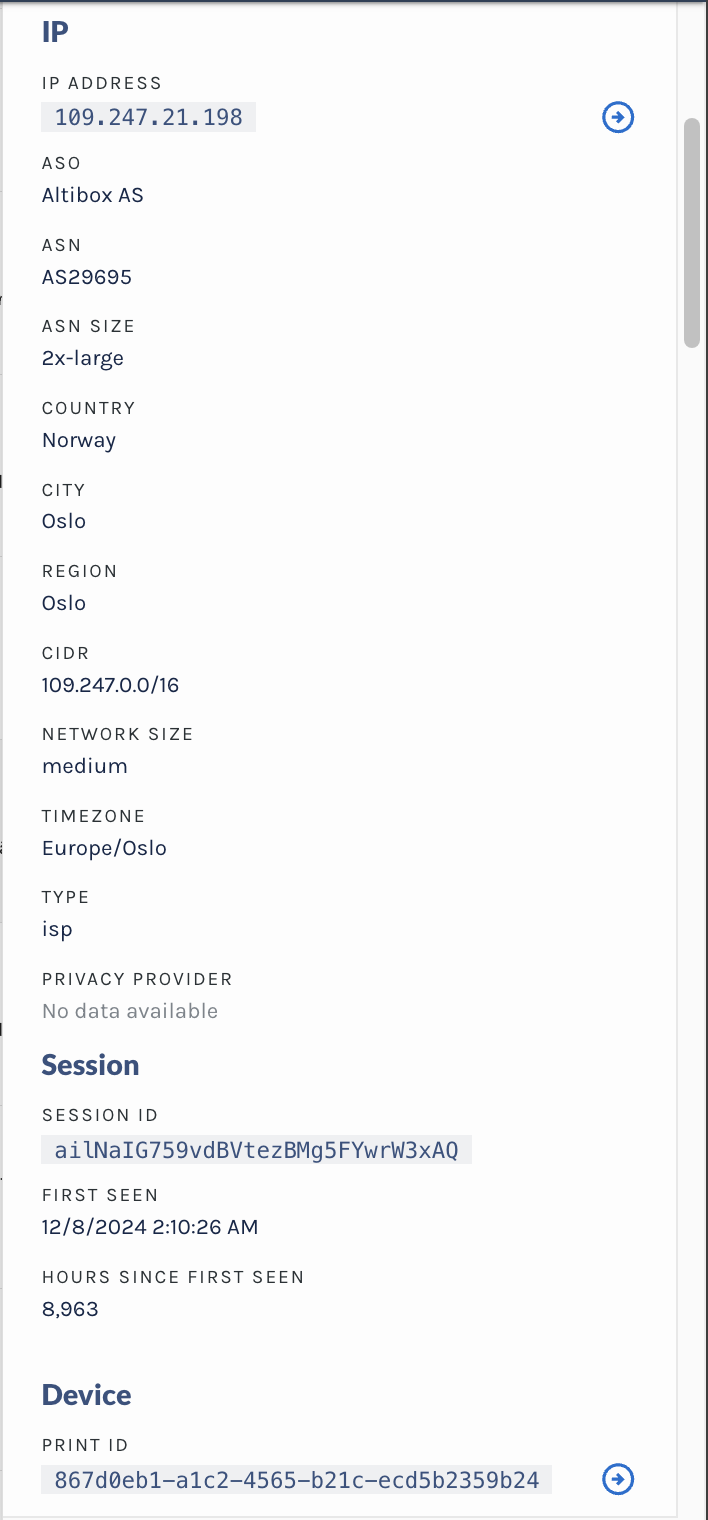
View Event Details
The Event Details panel provides a comprehensive snapshot of a specific event, helping you understand what happened, who was involved, and why the activity may be significant. It is loosely organized into three sections: Key Event Details, Scores & Signals, and Event Metadata. Together, these components tell the full story of a user’s activity.
Key Event Details
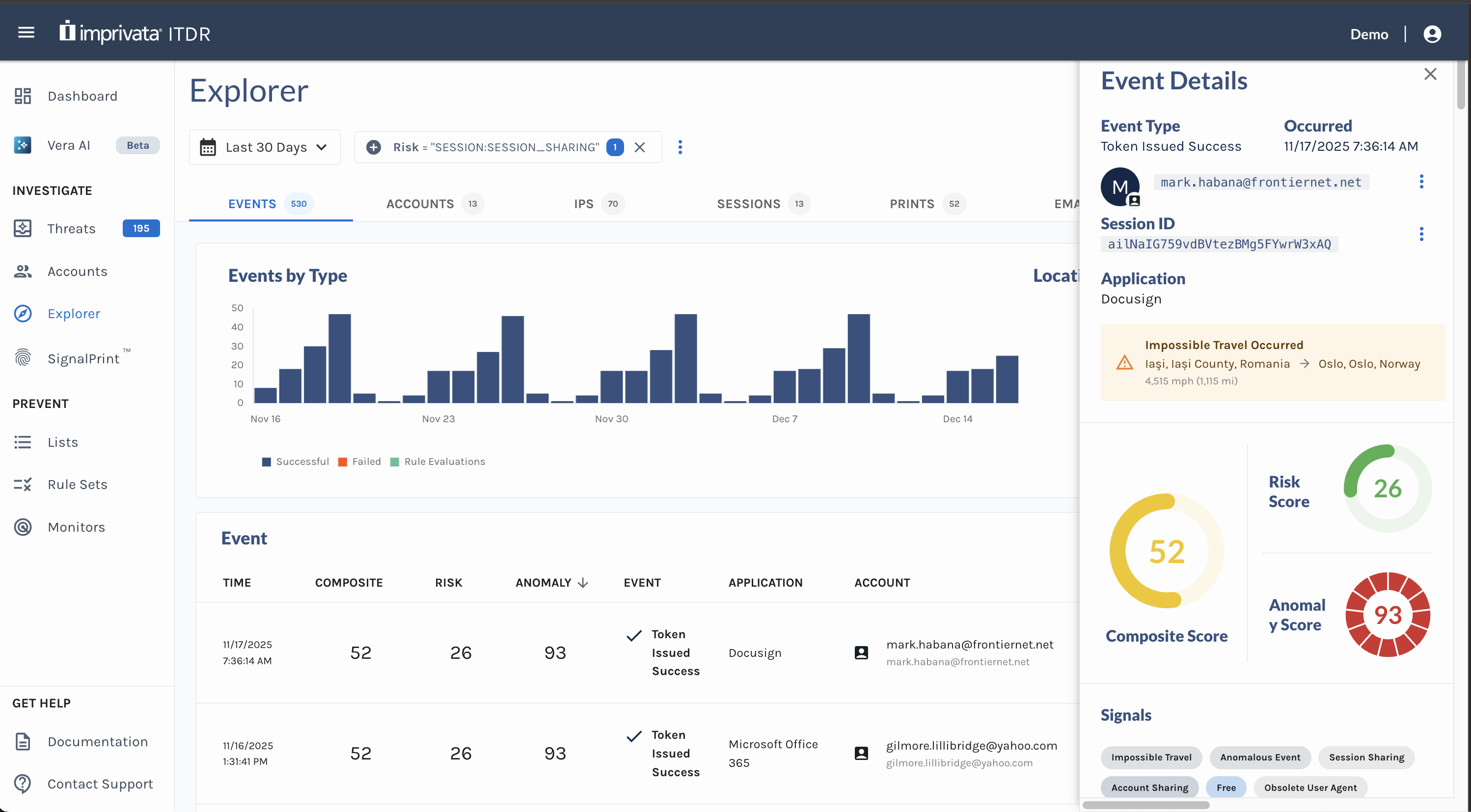
This section highlights the core attributes of the event, including:
- Event Type – The category of activity that occurred.
- Occurred – The exact time at which the event was recorded.
- Account Information – Identifies the user associated with the activity, including details such as the email address, account ID, and the Identity Provider or integration source (e.g., Auth0, Okta) through which the account was observed.
- Session ID – Identifies the session the session token on the event.
This section serves as the foundation for understanding the event in context.
Scores & Signals
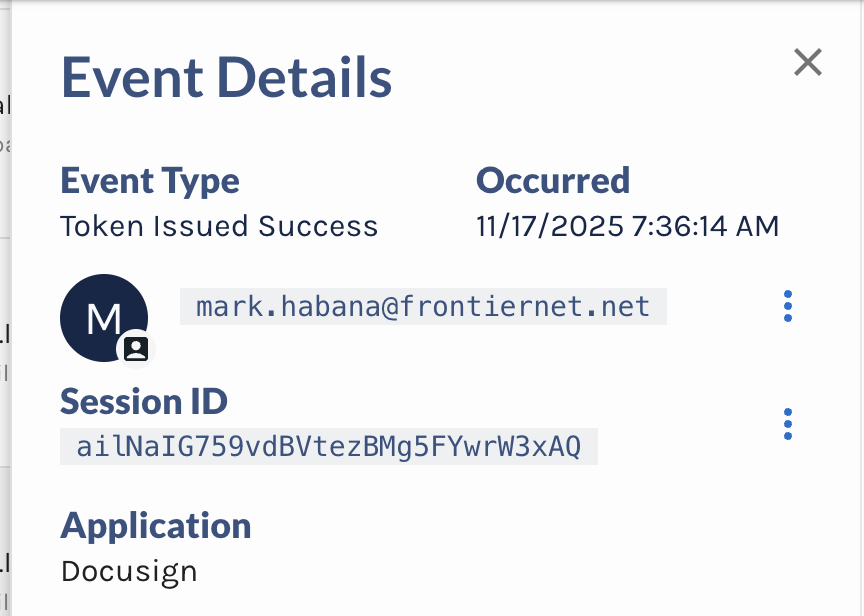
This section summarizes the system’s assessment of the event’s risk profile and provides the key indicators used to evaluate its severity:
- Composite Score – A combined value (0–100) derived from the event’s risk and anomaly scores, representing the overall risk level. A score of 100 indicates a highly risky event.
- Risk Score – A risk value between 0 (safe) and 100 (risky), informed by OSINT data and internal detection algorithms.
- Anomaly Score – A measure of how unusual the activity is compared to the user’s historical behavior. The score ranges from 0 (normal) to 100 (highly unusual).
- Impossible Travel – Flags instances where a user appears to move between two geographic locations in a timeframe that would be physically impossible.
- Risk Signals – The set of underlying factors that describe why the event received its score. See the full list of Risk Signals here.
Together, these indicators help analysts quickly understand both the severity of an event and the factors contributing to its risk.
Event Metadata
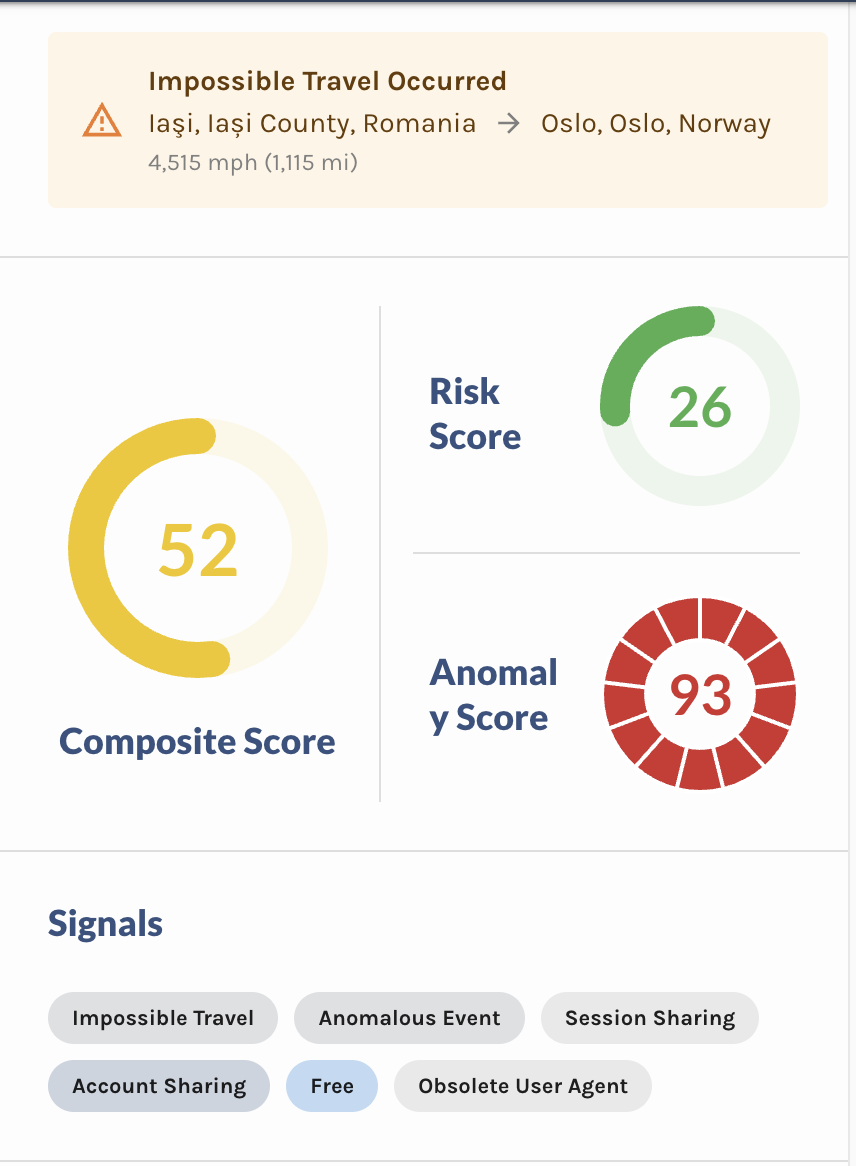
This section provides deeper contextual details associated with the event. It is currently organized into six subsections:
- IP
- Session
- Device
- Phone
- Payment
Each subsection supplies additional identifiers that allow you to correlate activity, detect patterns, and potentially identify whether a bad actor has left a trail across multiple events or systems.
If your organization provides Custom Workspace Data (key-value pairs defined within your organization), this supplemental information will also appear at the end of the Event Metadata section, enriching your ability to investigate and validate user activity.