
Automate Add to List with Monitors & Rule Sets
Automating Detection & Prevention with the "Add to List" action
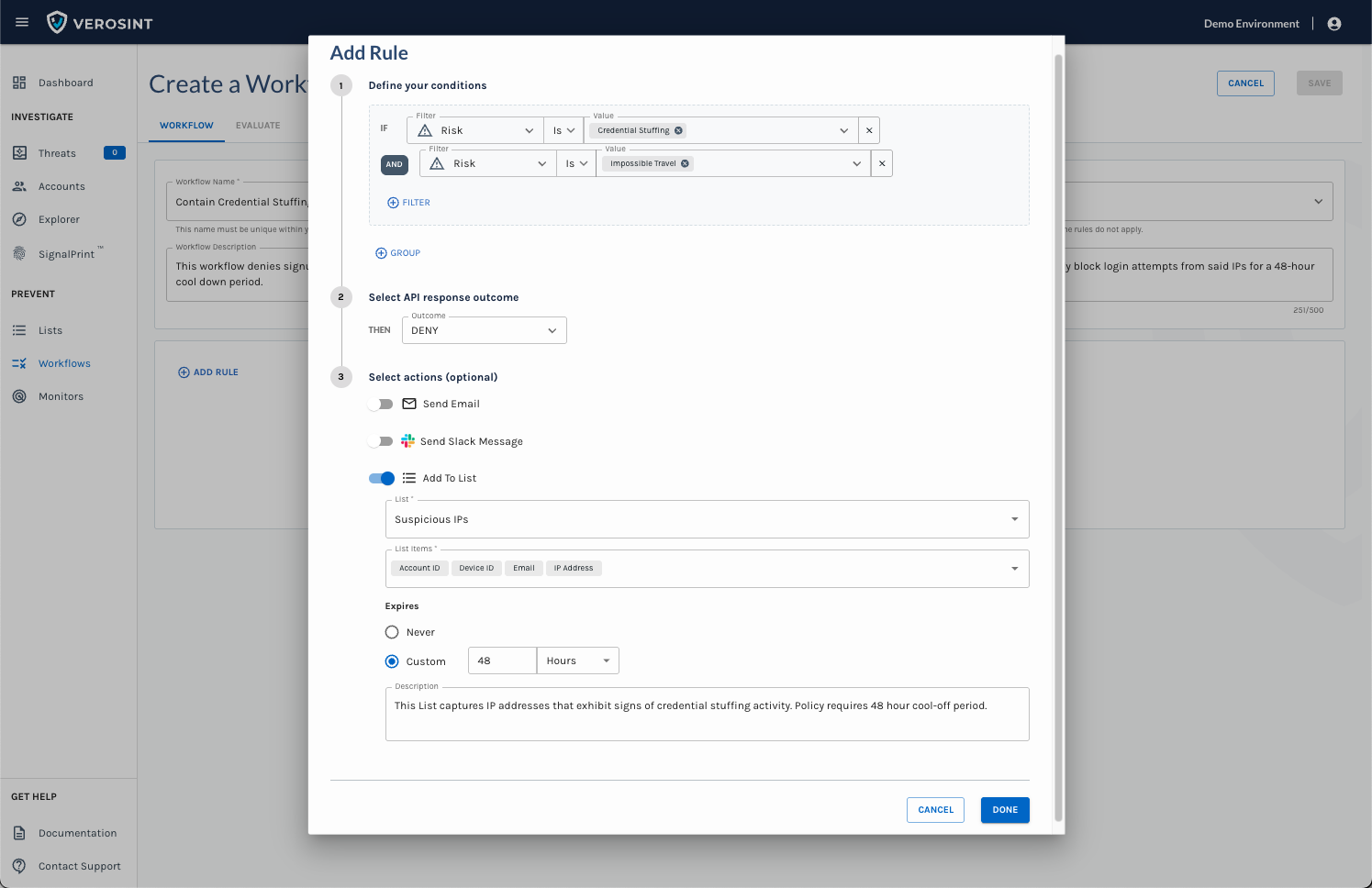
The "Add to List" action allows you to automatically add risky or noteworthy entities to a List directly from a Monitor or Rule Set. This turns Lists into a dynamic part of your detection and response process.
- 📋 You can select any Identifier or Signal (type = string) that you can already add to a List manually, and configure your Monitor or Rule Set to add it automatically when certain conditions are met.
- ⚡By automating the population of Lists, you can contain threats faster, enforce policies consistently, and reduce manual effort for your security team.
How it works:
- In a Monitor or Rule Set, add the Add to List action.
- Select the target List.
- Specify which entity attributes or signals (type = string) should be added when the triggering conditions are met.
- Set a retention period for how long entities should remain on the List, if desired.
- Add an optional description, if desired.
This action ensures that Lists are not just static collections, but live, automated tools that help your team respond to risks in real-time.
Example use cases
- Credential stuffing: Automatically add suspicious IP addresses or devices to a “cool-off” List.
- Suspicious account activity: Add accounts exhibiting unusual behavior to a List for review or automated policy enforcement.
- Business-specific risks: Any custom signal or identifier that’s relevant to your organization’s risk policies.