
Review Test Results and Promote to Active
After a test is created, you can review its results to understand how the test would behave before promoting it to the active version of the rule set.
Reviewing results helps you validate changes more safely and predictably before they impact users.
Review Test Results
After a test is saved, ITDR begins evaluating it using the test configuration.
Test results include the following information up to the last 30 days:
- Total evaluations and users
- Outcome distribution for the Active and Test versions
- A rule-by-rule comparison of the Active and Test versions, making it easier to understand what changed and assess any further updates to the test
For each rule, you can also view:
- The count and percentage of evaluations that matched the rule
- The reason(s) that triggered the rule
Use the results to understand how the test would behave if it were active. This can help you decide whether the test is ready to promote.
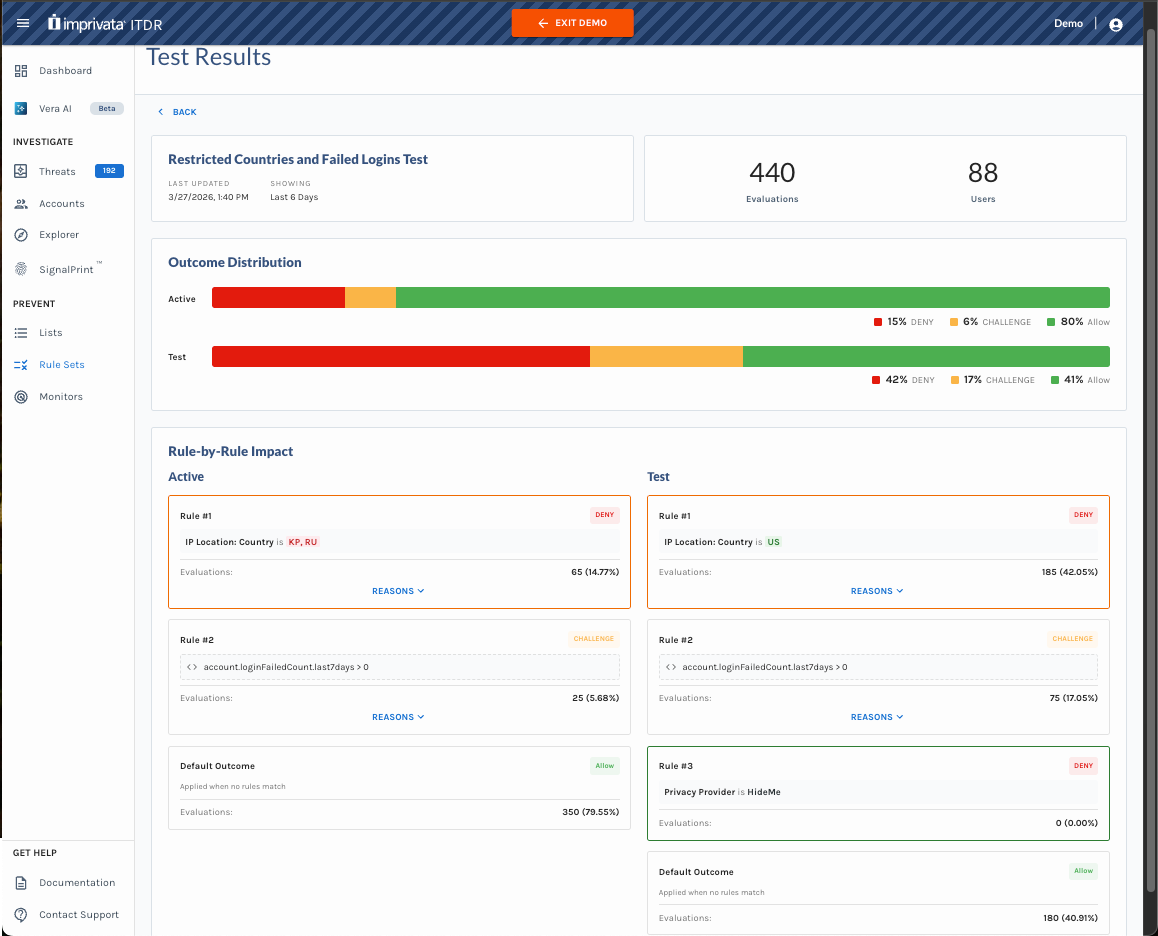
Example Test Results for a Rule Set
Important Notes
- Test results show how the rule set would behave if the test version was active. It does not impact end users.
- Test results will only populate for rule sets that are actively being called by the rules evaluation endpoint.
- If you edit the test rules and save again, the results are reset and the test starts over using the updated test rules.
Promote a Test to Active
When you are satisfied with the test results, you can promote the test to the active version of the rule set.
To promote a test to active:
- Open the rule set that contains the test.
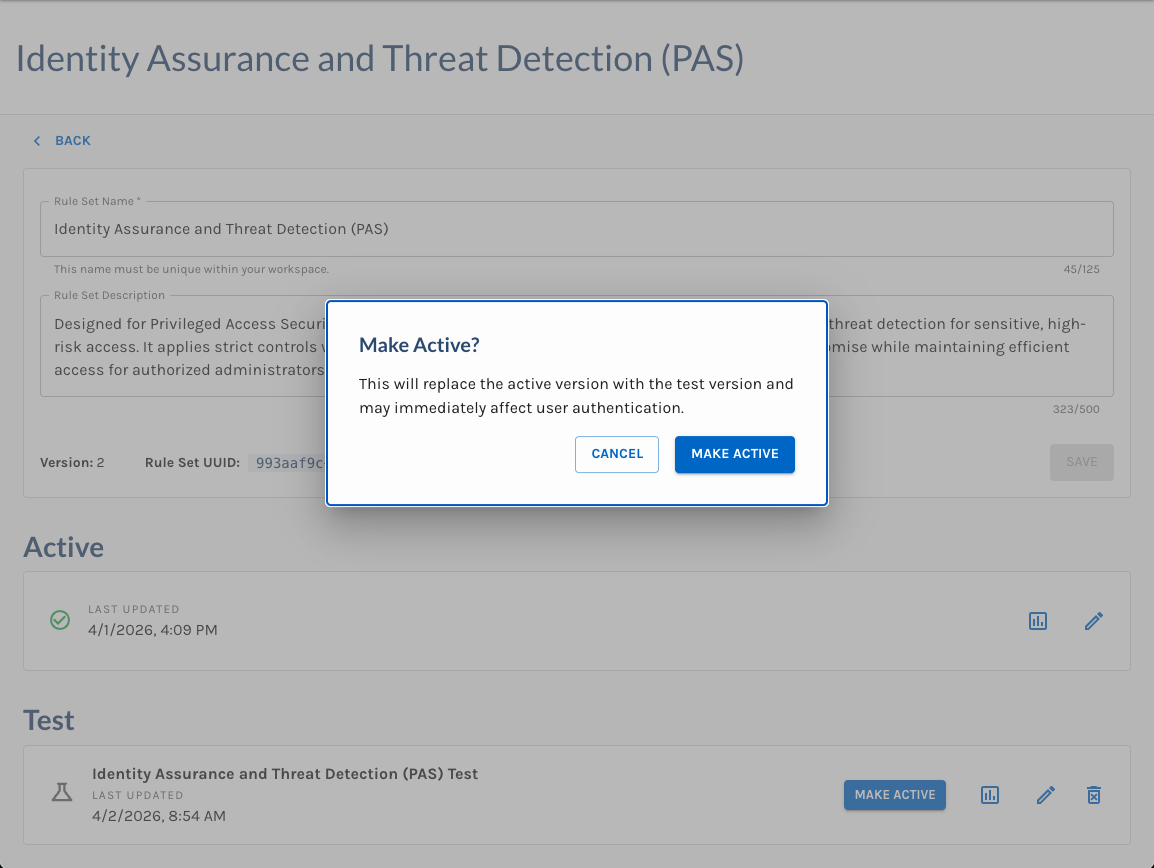
- Click the MAKE ACTIVE button on the Test.
- Confirm that you want to promote the Test configuration to Active.
After promotion, the test configuration becomes the new active version of the rule set and may immediately affect user authentication.
Important Notes
- Promoting a test replaces the current active version.
- After a test is promoted to active, configured actions will run as part of the active rule set.
- If you make changes to an active version directly while a test is running, existing test results are cleared and the test restarts using the updated active version changes.
- If you edit a test while a test is running, existing results are cleared and the test restarts using the updated test changes.
Updated 2 months ago