
Shared Signal Framework (SSF)
Transmit and act on real-time security events from across your identity ecosystem
Shared Signal Framework (SSF) integrations enable you to turn security data into real-time, actionable events in ITDR, centralizing detection and automating response across your entire identity ecosystem.
With SSF, external systems can send Security Event Tokens (SETs) into ITDR. These events are normalized and surfaced alongside all other events, allowing you to investigate activity and trigger automated responses using rules and monitors.
Security events must follow supported SSF standards (CAEP or RISC).
Configure a Transmitter to Send Security Events
To use SSF, you must first configure a third-party transmitter to send Security Event Tokens (SETs) to ITDR.
To configure a transmitter:
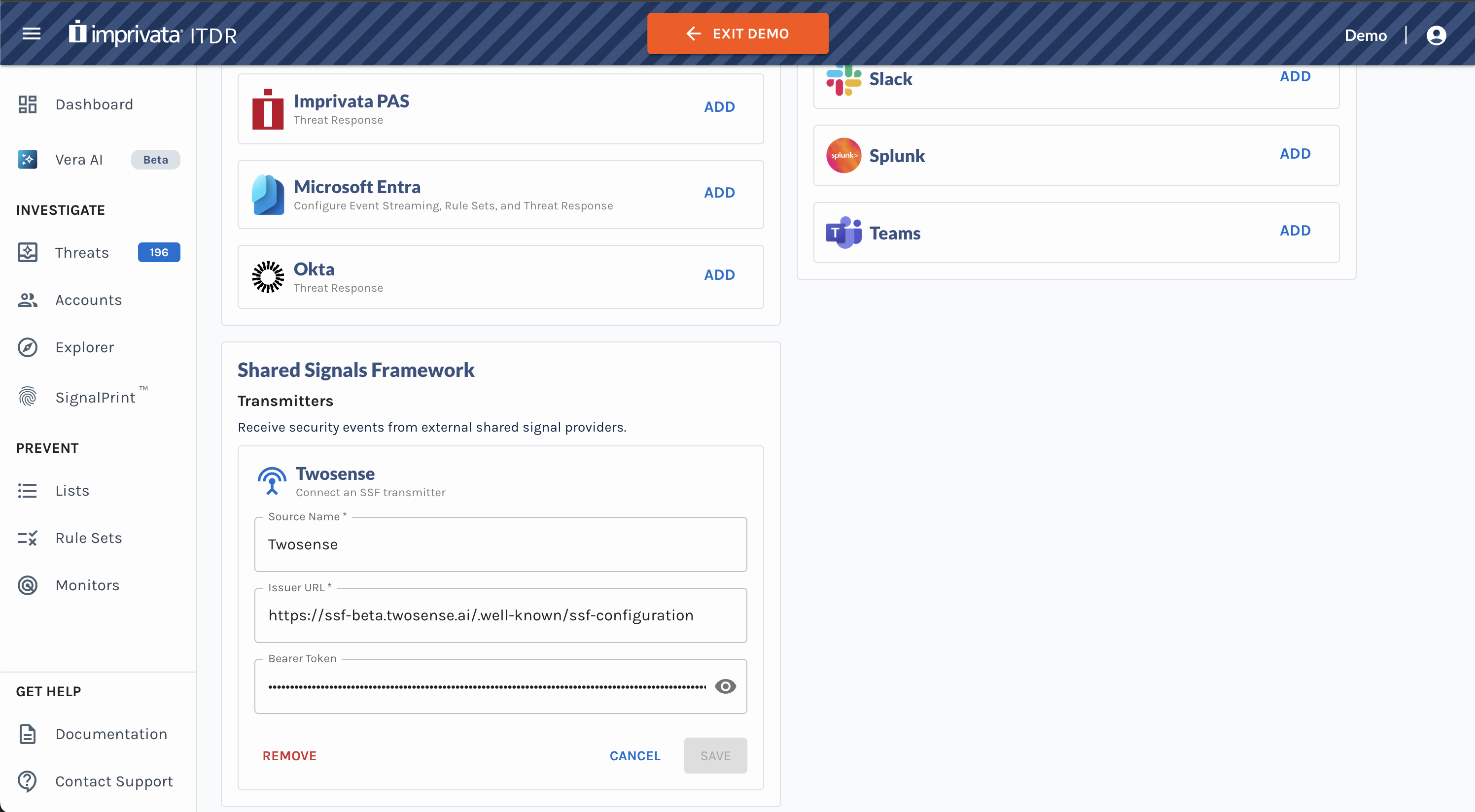
- Navigate to Settings.
- Scroll down to the Shared Signal Framework section.
- Add an SSF Transmitter. Enter the required configuration details:
- Source Name
- Issuer URL
- Bearer Token
- Click Save.
Once configured, the transmitter will begin sending security events to ITDR.
Search for Security Events in Event Explorer
Security Event Tokens (SETs) are surfaced in Event Explorer, where they can be investigated alongside all other events.
In Event Explorer, you can:
- View SSF security events from all configured transmitter(s)
- Filter by event type (Event Type = SSF Security Event)
- Search using event attributes and metadata (e.g., risk level changes, credential changes, etc.)
- Open the Event Details panel to view all associated security event data
This allows you to correlate third-party signals with other activity and investigate user behavior in one place.
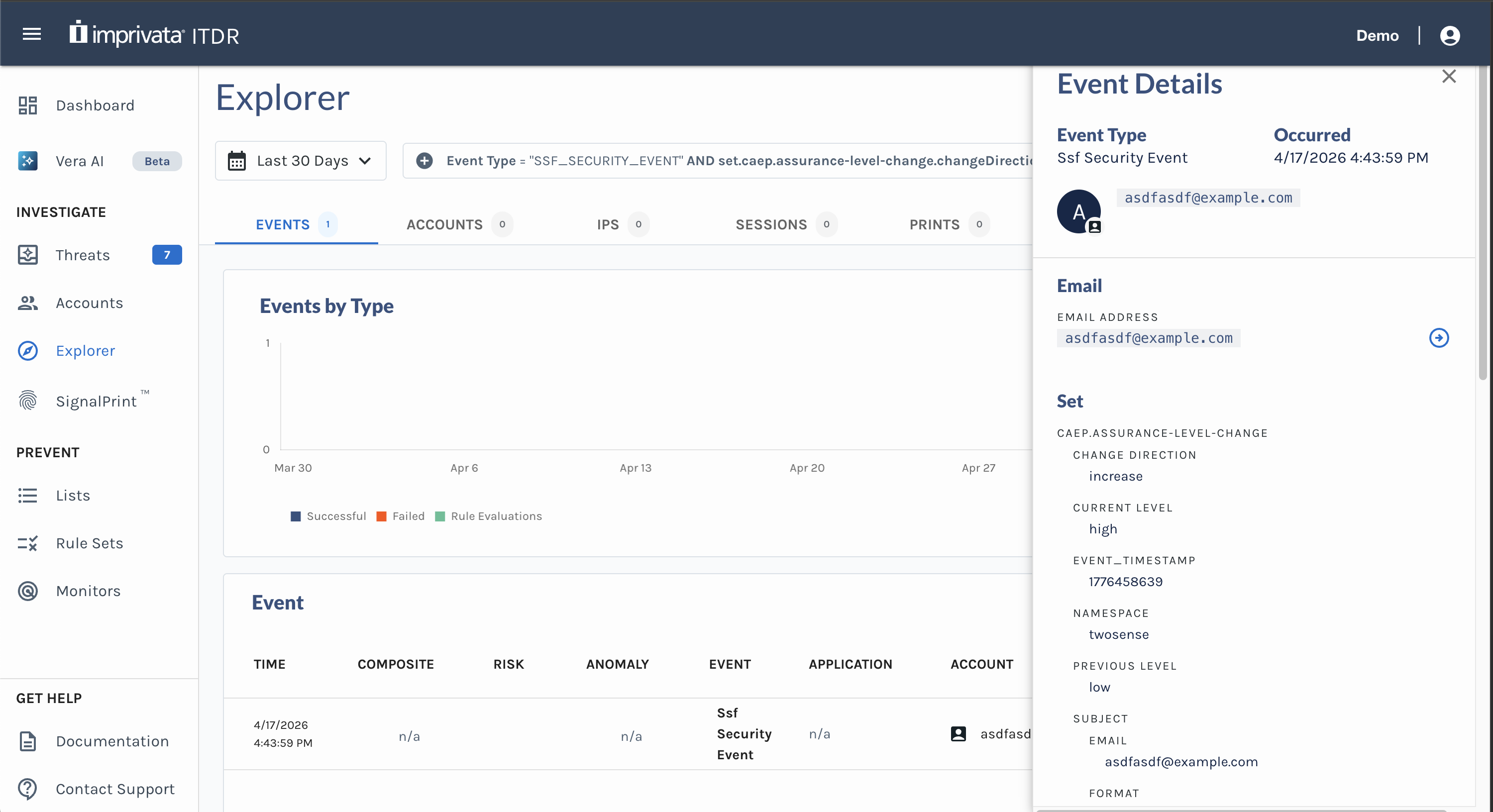
Example of CAEP Assurance Level Change security event in ITDR Event Explorer
Use SETs to Drive Adaptive Authentication and Automated Response
SSF events can be used directly in Rules and Monitors to drive real-time adaptive authentication and automated response.
You can:
- Trigger actions based on incoming security events
- Combine SSF events with existing ITDR signals and conditions
- Configure automated responses based on security event detections
For example, you can:
- Detect when a user’s risk level increases based on a SET
- Require step-up authentication on the next access attempt
- Automatically remove the user from a restricted list once risk is reduced
This allows you to operationalize third-party signals in real time without building custom integrations.
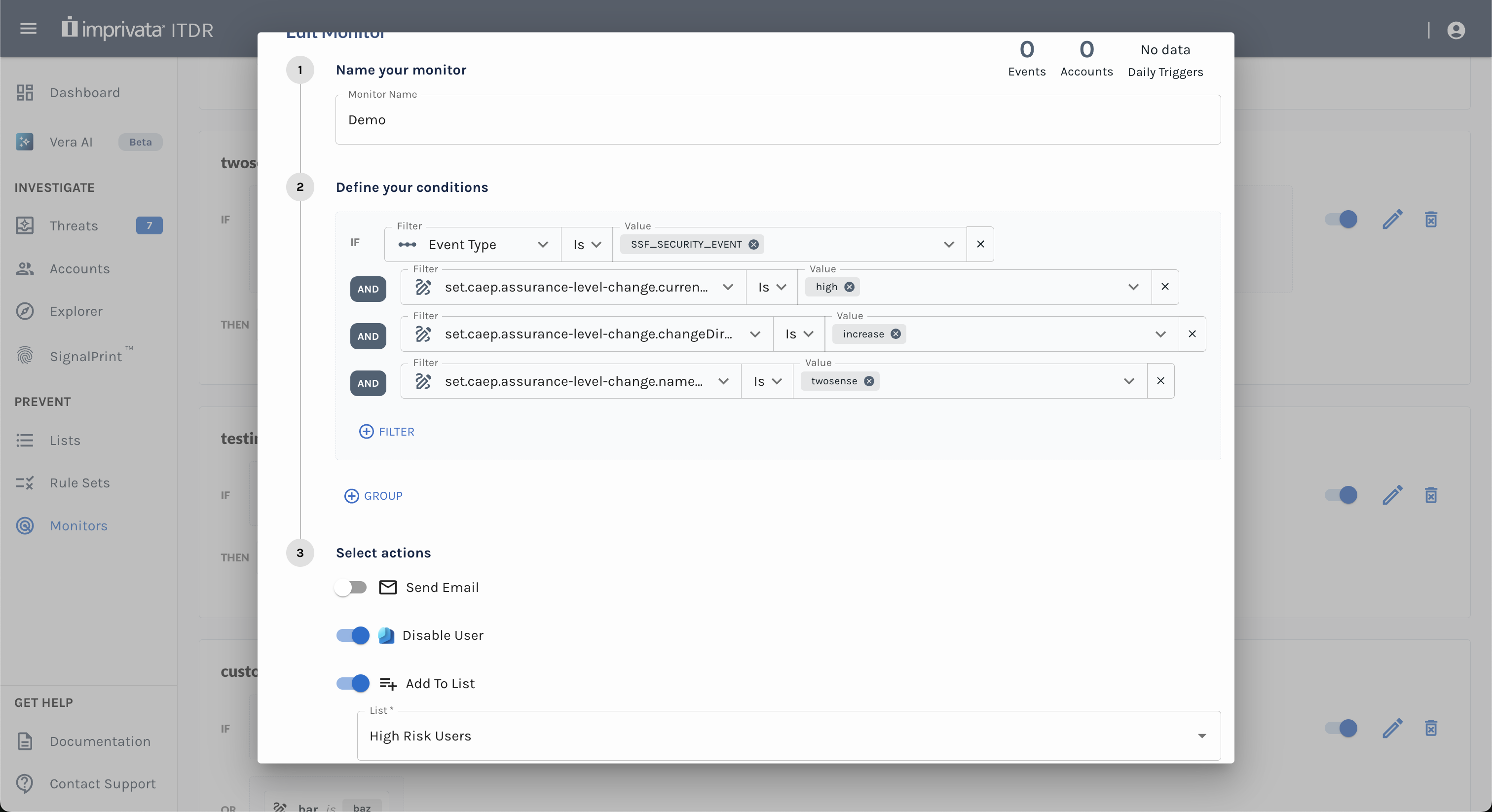
Example of a SET triggering automatic user disablement and addition to a High Risk Users list
Security events must follow supported SSF standards (CAEP or RISC).
Updated about 1 month ago